Compare
LetterLeaf vs Fyxer
Both sort your inbox and draft replies in your voice. Here is where they differ, so you can pick the right one in five minutes.
side by side
Where they differ
LetterLeaf
Fyxer
How you use it
Its own inbox app, plus categories written back to Gmail and Outlook
Inside Gmail or Outlook; no inbox of its own
Works with
Gmail, Outlook, Microsoft 365 shared mailboxes, any IMAP
Gmail and Outlook
Sorting
Categories from a template for your business (SaaS, e-commerce, law firm, agency…), editable
Fixed folders: To Respond, FYI, Marketing…
Needs-a-reply and requires-attention views
✓ Smart Views across every inbox
✓ To Respond folder
Sentiment on every email
✓ all plans, shown in the list
—
Focus Mode: one email at a time to inbox zero
✓
—
Drafts in your voice
✓ learned from your sent mail
✓
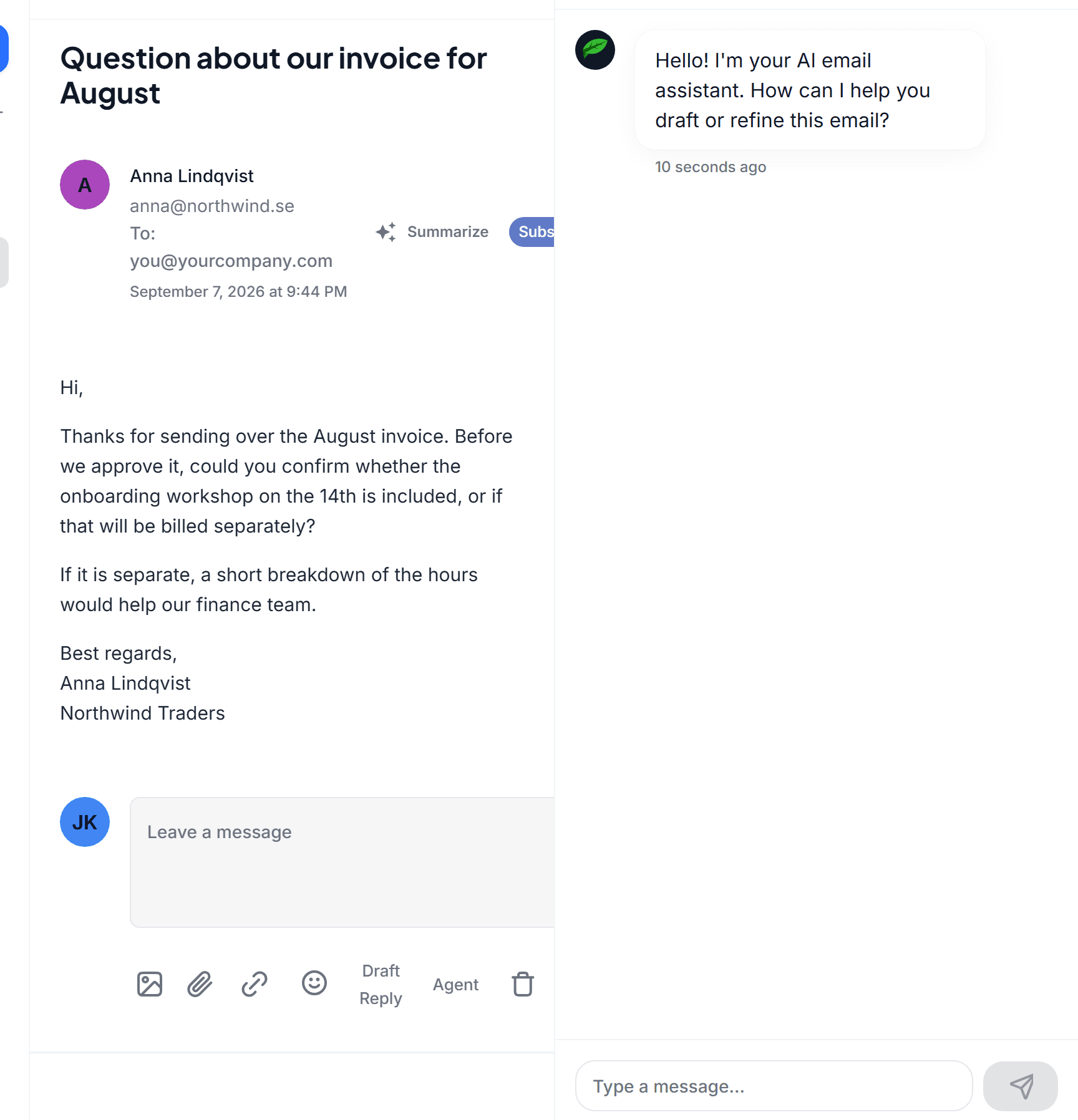
Email Agent: chat to rewrite a draft (shorter, decline politely, add a deadline)
✓
Fyxer Chat on Professional
Drafts grounded in your own material
✓ Smart Docs: files, snippets and your crawled website, Professional and up
File uploads, Professional and up
Thread summaries
✓ saved with the email
Not on their site
Workflow builder: trigger on new mail, sentiment or SLA; forward, reply, send or re-categorise
✓ Business
—
SLA escalation
✓ Business
—
Shared team inboxes with roles, private inboxes stay private
✓ Professional and up
Multiple inboxes on Professional
Meeting notes from your calendar
—
✓
HubSpot integration
—
✓ Professional and up
Where AI processing runs
EU, Microsoft Azure EU data zone
Not stated on their site
Price per user, monthly billing
$29 · $49 · $69
$30 · $50
Price per user, annual billing
$25 · $40 · $55
$22.50 · $37.50
Free trial
7 days, 100 AI-powered emails, no card
7 days
Fyxer details taken from fyxer.com on 28 September 2026. If something has changed, tell us and we will fix it.
the short version
Which one is for you
Pick Fyxer if
You live in one Gmail or Outlook account
You want folders inside the client you already use, nothing new to open
You want meeting notes generated from your calendar
Your team already runs on HubSpot
Pick LetterLeaf if
You want an inbox built for triage
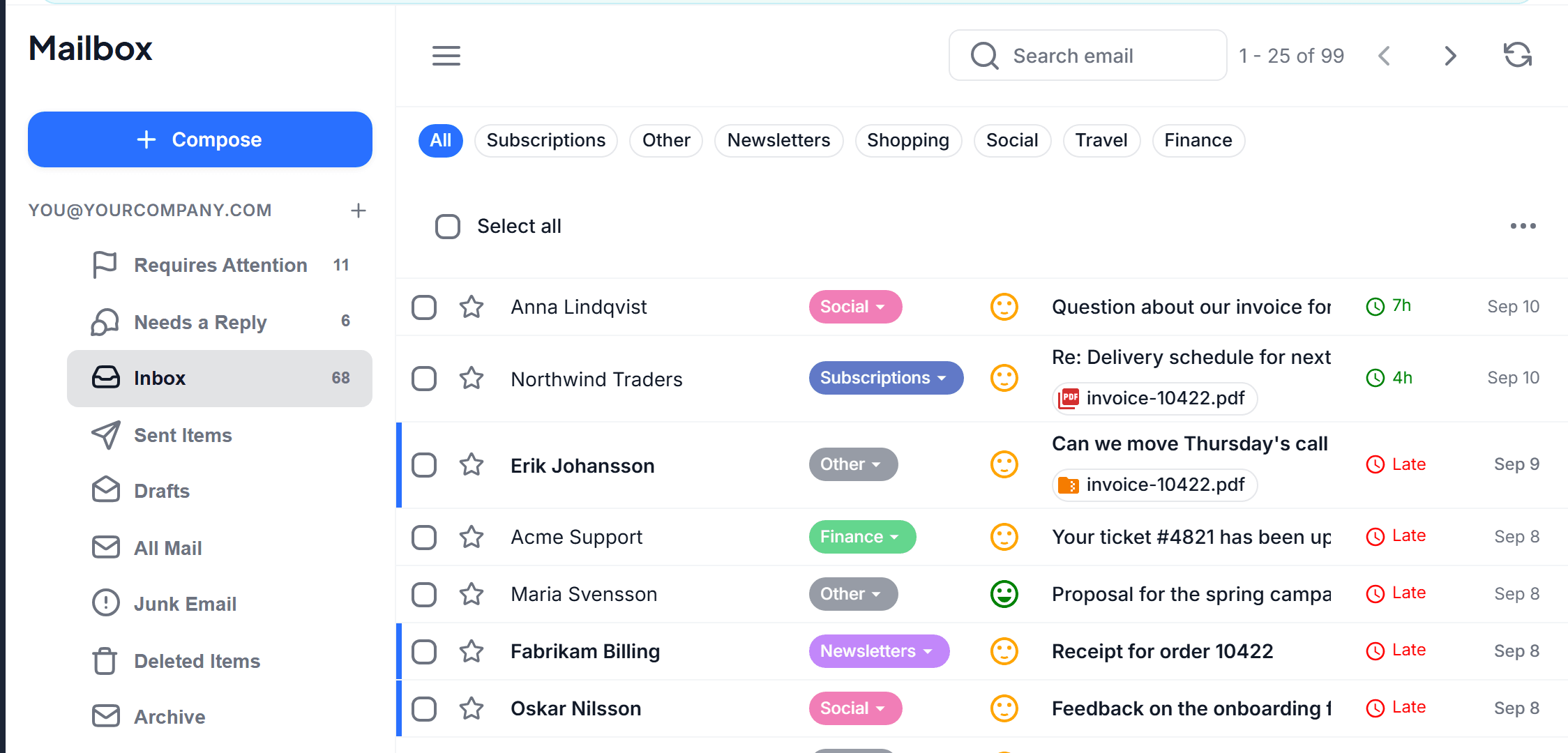
Smart Views, sentiment and Focus Mode: work through what needs you, one email at a time, then stop
You use Fastmail, Zoho, Proton via bridge, or mail on your own domain
A shared support@ or sales@ inbox is answered by two to fifteen people
Replies must quote your real prices, policies and dates, pulled from your own documents and website
You want automation: a negative email from a key account gets forwarded and answered within its SLA
You care where your email is processed

an inbox built for triage
Smart Views, not folders
Fyxer files mail into folders inside Gmail. LetterLeaf is its own inbox: every message gets a category from your business template, a sentiment face, and a place in Needs a reply or Requires attention, across every account you connect. Focus Mode then walks you through the queue one email at a time until it is empty.
replies
In your voice, with your facts, with an agent beside the draft
Both tools draft in your tone. LetterLeaf also grounds the draft in Smart Docs, the files, snippets and website pages you give it, and the Email Agent rewrites on request: shorter, more formal, a polite decline. Fyxer offers file uploads and Fyxer Chat on its Professional plan.

categories
Categories that match your business
Pick SaaS, e-commerce, law firm, agency or a dozen others and LetterLeaf starts with categories that fit, then lets you rename, add or remove them. Fyxer uses the same fixed folder set for everyone.
to be fair
What LetterLeaf does not do
There are no meeting notes and no HubSpot integration today. If either is essential, Fyxer is the better fit and we would rather say so than have you find out on day three.