Integrations
AI triage for IMAP and shared inboxes
Most AI email tools stop at Gmail and Outlook. LetterLeaf connects any IMAP account and any Microsoft 365 shared mailbox, then sorts, flags and drafts across all of them as one inbox.


works with
Connect the inboxes you have
Sign in with Google or Microsoft, or enter your IMAP host, username and password. Mail stays where it is; LetterLeaf syncs a copy to work from.
Gmail and Google Workspace
Outlook, Microsoft 365 and Microsoft 365 shared mailboxes, no extra licence for the shared address
Fastmail, Zoho, Hostinger, OVH, one.com, self-hosted servers and Proton through the Proton Bridge
triage on arrival
Every email read once, sorted for good
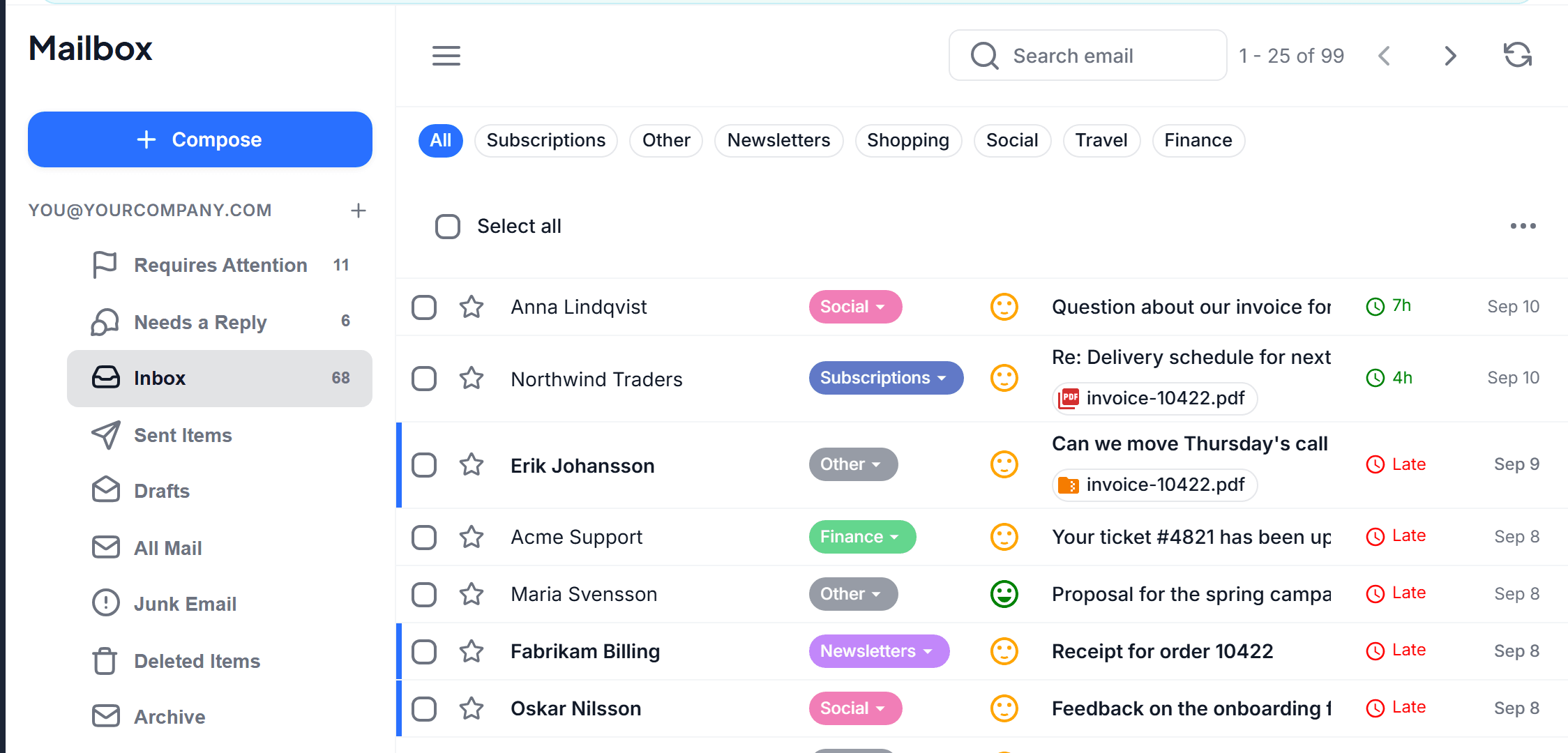
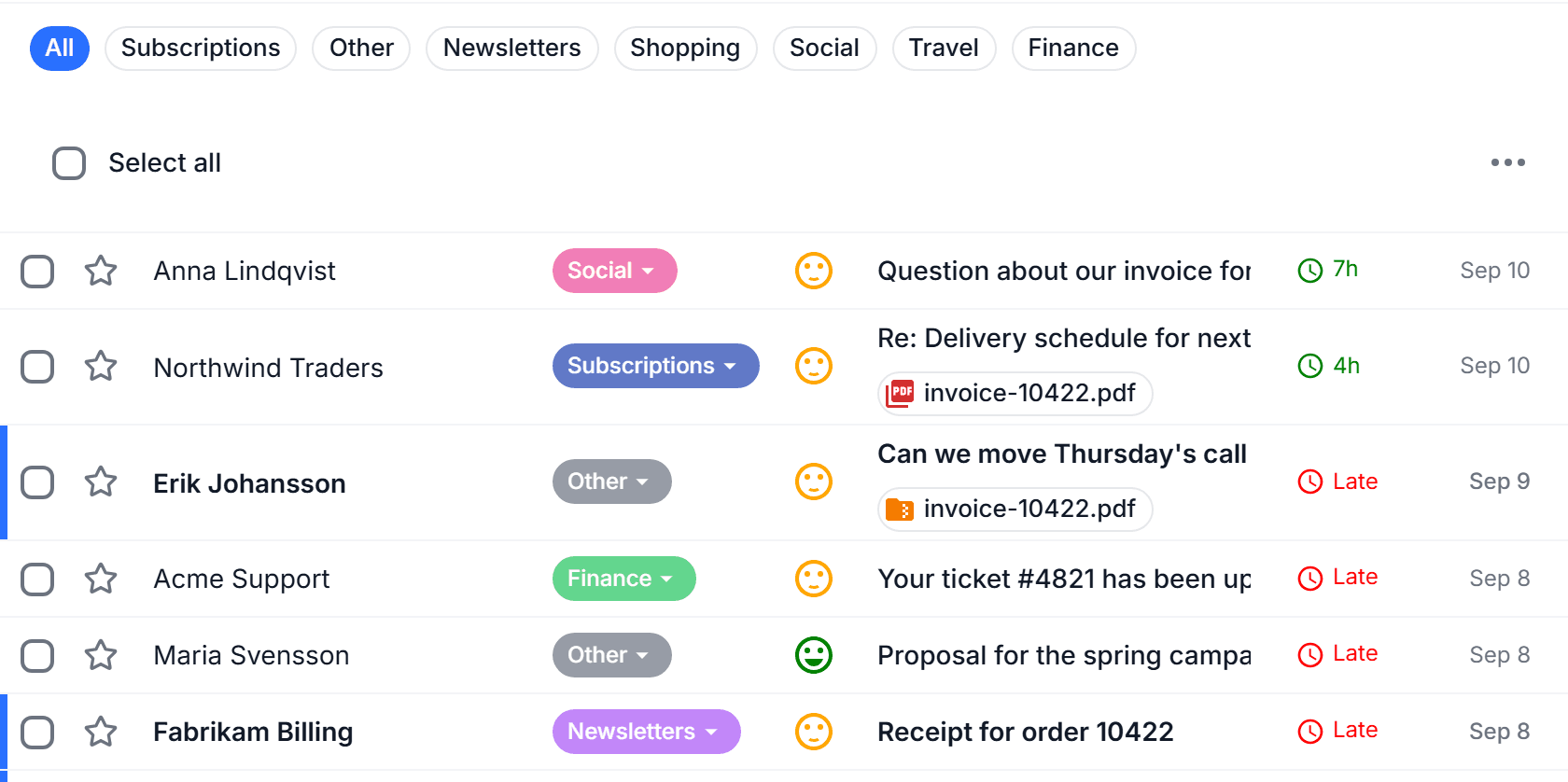
As each message arrives it gets a category from your business template, a sentiment face, and a place in Smart Views such as Needs a reply and Requires attention. Categories are written back as Gmail labels and Outlook categories, so your old client keeps up.
Green, orange or red face: spot a frustrated customer before you open the thread
Late and 4h markers show who has been waiting and for how long
Reply from anywhere and the thread drops out of Needs a reply on its own
after you connect
What happens in the first hour
1
Connect in two minutes
Sign in with Google or Microsoft, or enter your IMAP details. Nothing is moved or deleted.
2
LetterLeaf learns your voice
Recent mail is imported, and your last fifty sent messages teach it how you write and how you sign off.
3
Triage on arrival
Every new message is tagged, scored and placed in Smart Views across every connected inbox.
4
Drafts land in your Drafts folder
Replies are drafted with facts from your Smart Docs and mirrored to the mailbox’s own Drafts folder, so you can send from any client.
replies
Drafted in your voice, refined by the Agent
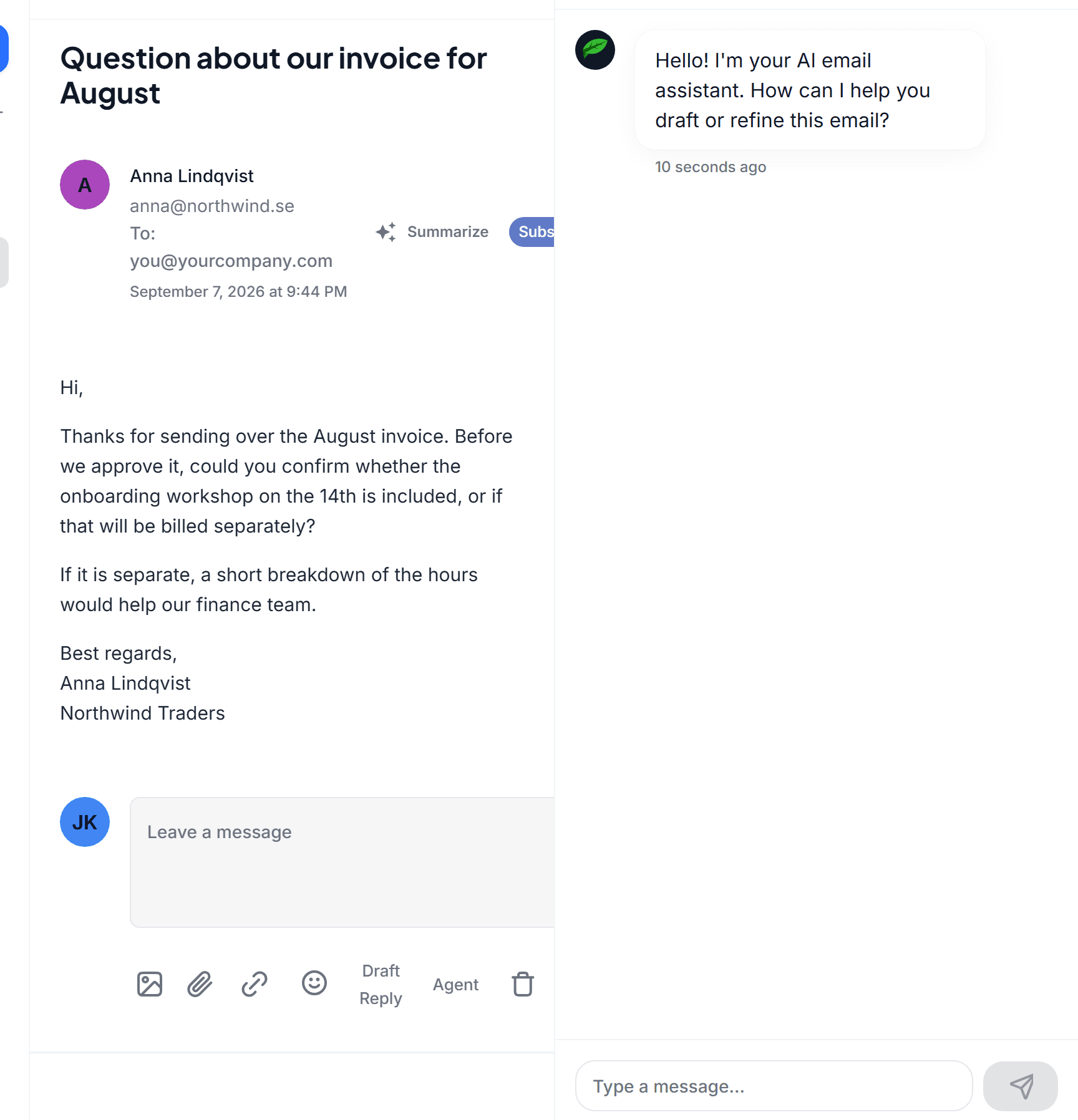
Draft Reply writes the first version in the voice learned from your sent mail, with facts from Smart Docs. The Email Agent sits beside it: ask for shorter, more formal, or a polite decline, and it rewrites in place. Works the same over IMAP as in Gmail.
small teams
A shared inbox without a helpdesk
Two to fifteen people answering one support@ or orders@ address usually have two choices: raw Gmail, where things get missed, or a helpdesk that costs more per seat than the product they sell. LetterLeaf sits in between.
Connect once, invite the team. The mailbox owner connects it and adds members with roles. Everyone sees the same sorted view and the same needs-a-reply list.
Private stays private. A member’s own inbox is never visible to the organisation, not even to the owner, unless they share it on purpose.
Frustration surfaces first. Negative-scored threads rise above newsletters and invoices.
Escalation on Business. Set an SLA and a thread that has waited too long is escalated automatically.
faq
Questions about IMAP
Does LetterLeaf move or delete my mail?
+
My provider uses two-step sign-in. Will IMAP work?
+
Can I connect more than one account?
+
Do drafts work the same over IMAP as in Gmail?
+