Compare
LetterLeaf vs SaneBox
SaneBox removes the noise. LetterLeaf tells you what needs you and drafts the answer. Here is where they differ, and when each is enough.
side by side
Where they differ
LetterLeaf
SaneBox
What it is
An inbox built for triage that sorts, scores and drafts
A filtering service that moves low-priority mail into folders such as SaneLater and SaneNews
Works with
Gmail, Outlook, Microsoft 365 shared mailboxes, any IMAP
Any IMAP, Exchange or ActiveSync account: Gmail, Outlook, iCloud, Yahoo, Fastmail
Sorting
Categories from a template for your business, editable
Important versus not, learned from who you interact with
Needs-a-reply and requires-attention views
✓ Smart Views across every inbox
—
Sentiment on every email
✓ all plans
—
Focus Mode: one email at a time to inbox zero
✓
—
Drafts replies
✓ in your voice, from your sent mail
—
Chat with an agent about the draft
✓ Email Agent
—
Thread summaries
✓
—
Reminders and snooze
✓ Snooze in Focus Mode
✓ SaneReminders, SaneSnooze
One-click unsubscribe and block
—
✓ SaneBlackHole
Shared team inboxes with roles
✓ Professional and up
—
Workflow builder and SLA escalation
✓ Business
—
Where AI processing runs
EU, Microsoft Azure EU data zone
Not stated on their site
Price, monthly billing
$29 · $49 · $69 per user
$7 · $12 · $36
Price, annual billing
$25 · $40 · $55 per user
$59 · $99 · $299 per year
Free trial
7 days, 100 AI-powered emails, no card
14 days
SaneBox details taken from sanebox.com on 3 October 2026. If something has changed, tell us and we will fix it.
the short version
Which one is for you
Pick SaneBox if
Volume is your only problem
You do not want anything written for you, just less in the inbox
You want the cheapest option that works with any provider
A one-click black hole for senders is worth the price on its own
Pick LetterLeaf if
You need to answer, not just filter
A list of what needs a reply, across every inbox, that clears itself when you reply
Drafts in your voice with facts from your own documents
A shared support@ or sales@ inbox answered by a small team
Sentiment, so a frustrated customer surfaces before you open the thread
You care where your email is processed

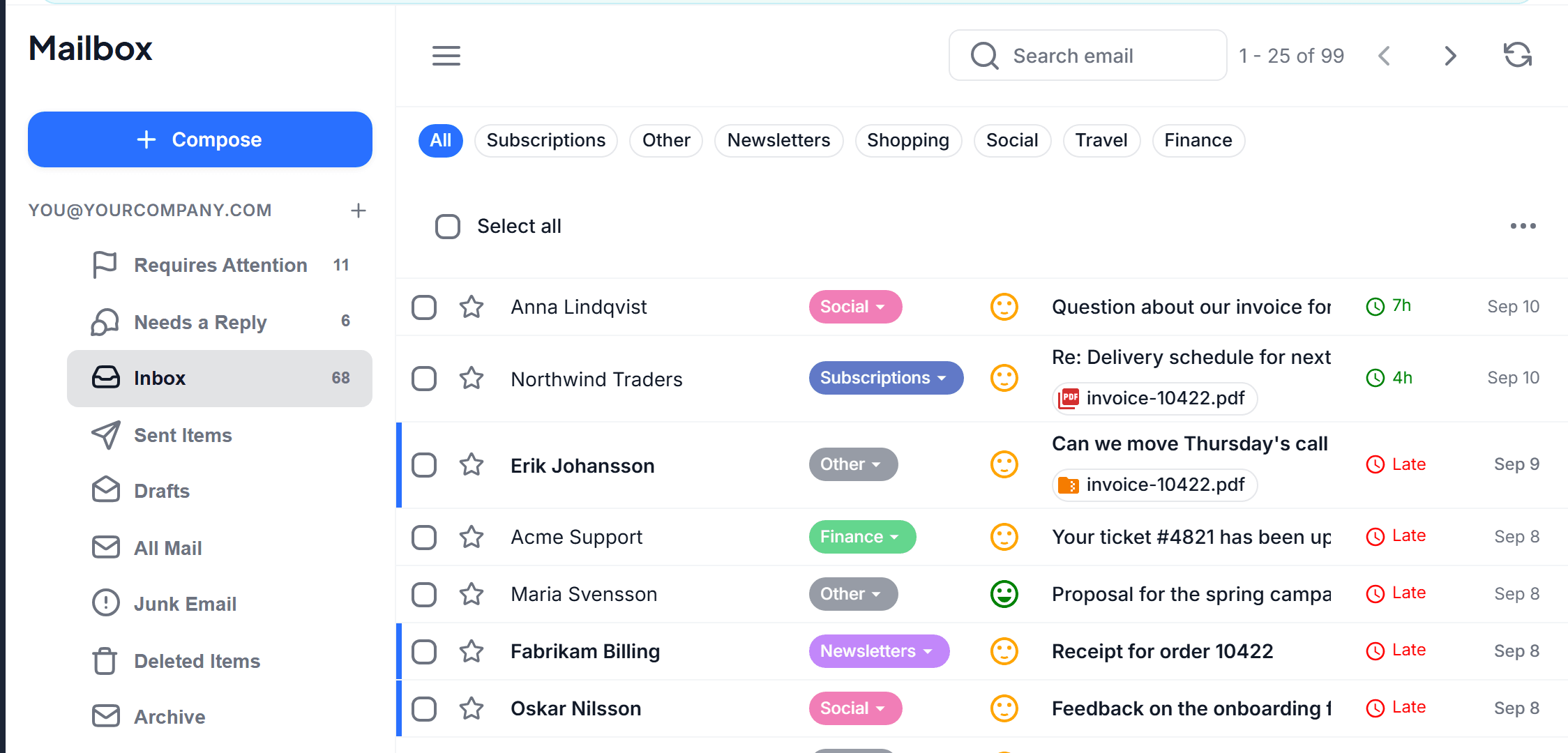
an inbox built for triage
Smart Views, sentiment, Focus Mode
SaneBox hides what does not matter. LetterLeaf shows what does: every message gets a category from your business template, a sentiment face, and a place in Needs a reply or Requires attention. Focus Mode then walks you through that queue one email at a time.
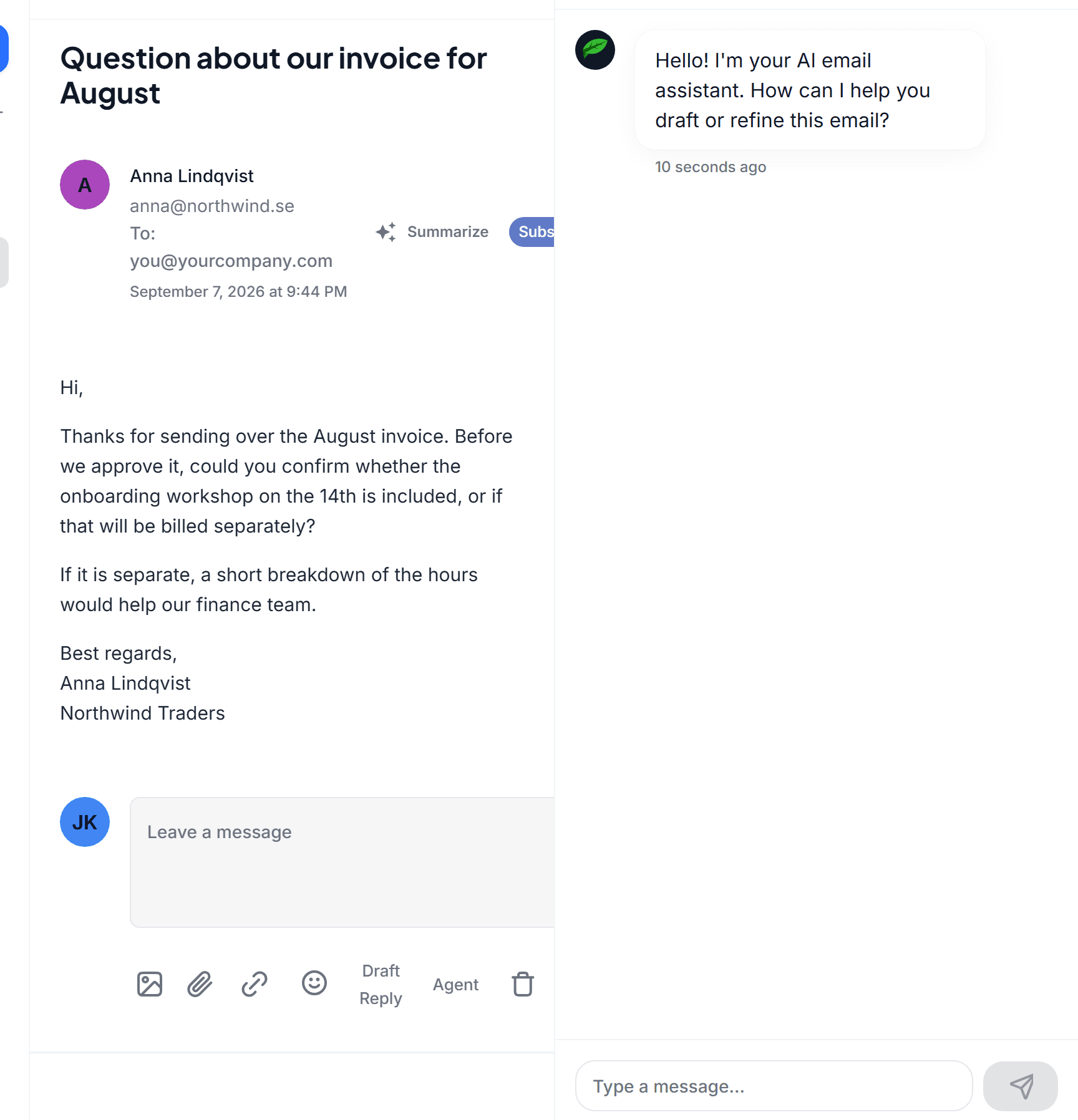
replies
In your voice, with your facts, with an agent beside the draft
SaneBox never writes a word. LetterLeaf drafts in the voice learned from your sent mail, grounds it in Smart Docs, the files, snippets and website pages you give it, and the Email Agent rewrites on request: shorter, more formal, a polite decline.

categories
Categories that match your business
Pick SaaS, e-commerce, law firm, agency or a dozen others and LetterLeaf starts with categories that fit, then lets you rename, add or remove them. SaneBox sorts by importance alone.
to be fair
What LetterLeaf does not do
LetterLeaf has no one-click black hole for senders and no $7 plan. If your only problem is volume and you never want a draft, SaneBox is the cheaper and simpler answer, and many people run it happily alongside a tool like ours.